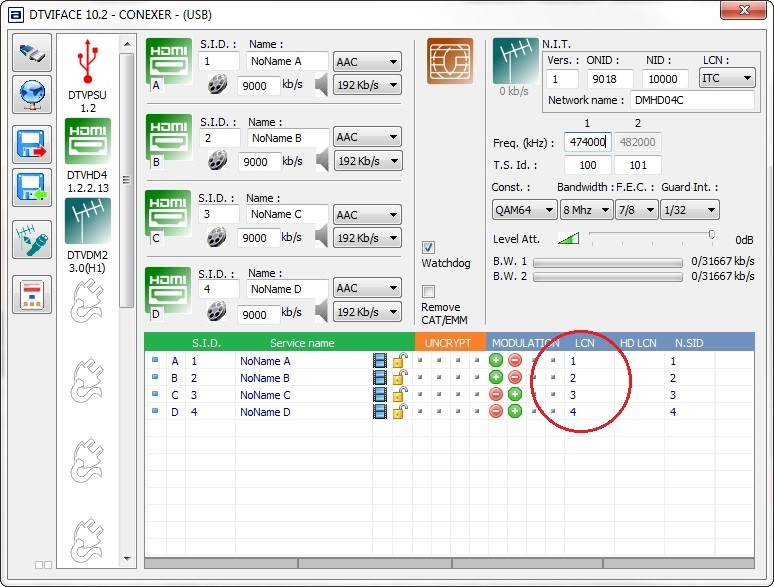
The location of the modulated channel in the EPG is governed by the Logical Channel Number (LCN) and this can be edited to suit the user.
Locate the LCN in the menu on the front panel of the unit and edit the value. For example 801 will appear at CH801 in the EPG. On the windows based software, locate the LCN field and amend.
The DTViFace features a column in the bottom table. simply double click in the row you wish to set or amend and type in the value when the cursor appears.